
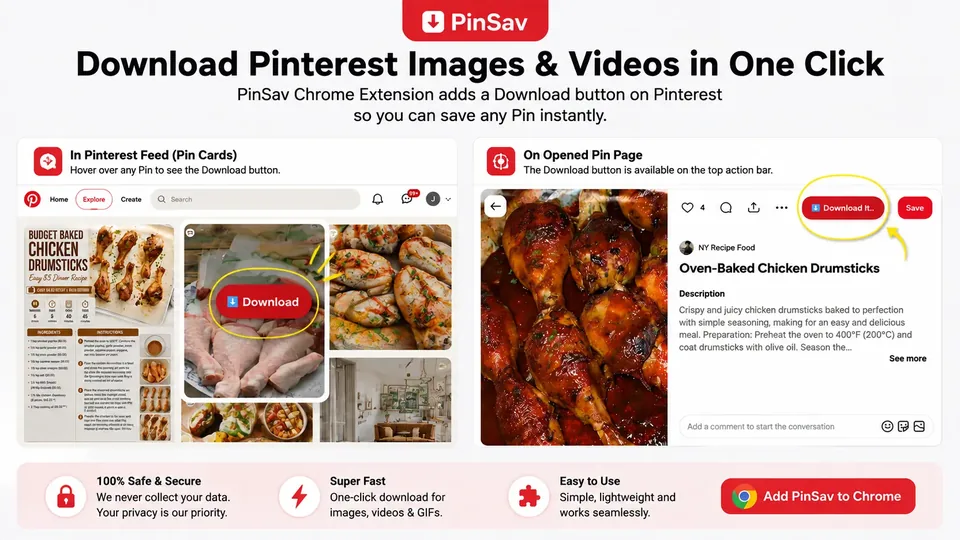
How PinSav Works
Using the extension is simple:
Open Pinterest
Browse Pinterest normally and open the Pin you want to save.
Open PinSav
Click the PinSav extension icon in your Chrome toolbar.
Get Your Download Options
PinSav uses the Pinterest page you're currently viewing to identify the Pin and provide the available download options. Choose the option you want and save the media to your device.
That's it.
Why Use the PinSav Extension?
No More Copying and Pasting
You don't need to copy a Pinterest URL and switch between browser tabs every time you want to save a Pin. Open the extension while you're on Pinterest and get started from there.
Works While You Browse
The extension is made for people who regularly browse Pinterest and want a quicker way to access Pin download options.
Simple Interface
We keep the extension focused on its main purpose instead of filling it with unnecessary features.
Free to Use
The PinSav extension is available through the Chrome Web Store and works alongside the free PinSav web downloader.
What Can I Save?
Depending on the Pinterest Pin and the media available from the original source, PinSav may provide download options for:
- Pinterest videos
- Pinterest images
- Pinterest GIFs
- Other supported media
The available format and quality can vary depending on the original Pin.
Is the Extension Available for Other Browsers?
PinSav is provided through the Chrome Web Store.
Because the extension uses Chrome's extension platform, it may also work with other Chromium-based browsers that support compatible Chrome extensions. Compatibility can vary between browsers.
Privacy
The PinSav extension is designed to work with the Pinterest page you're viewing and the Pin information needed to provide the service.
We do not require you to create a PinSav account to use the basic extension.
For information about data, cookies, third-party services, and other privacy practices associated with PinSav, please read our Privacy Policy.
Is PinSav an Official Pinterest Extension?
No.
PinSav is an independent third-party tool and is not affiliated with, sponsored by, authorized by, or endorsed by Pinterest, Inc.
Pinterest and its trademarks belong to their respective owners.
Copyright & Responsible Use
PinSav provides a technical tool for accessing available media from publicly accessible Pinterest content.
Downloading a video or image does not give you ownership or copyright rights to that content.
Please respect the rights of creators and copyright owners. Before publishing, sharing, modifying, or commercially using downloaded content, make sure you have the necessary permission or other legal right to do so.
For copyright complaints, please see our DMCA & Copyright Policy.
Frequently Asked Questions
How do I install the PinSav extension?
Open the PinSav Chrome Web Store listing and click Add to Chrome. Follow the instructions shown by Chrome to complete the installation.
How do I use the extension?
Open Pinterest, go to the Pin you want to save, and click the PinSav extension icon in your browser toolbar. The extension will use the current Pinterest page to help provide the available download options.
Do I need a PinSav account?
No. You don't need to create an account to use the basic PinSav extension.
Do I need to copy the Pinterest URL?
Usually, no. When you're viewing a Pin on Pinterest, the extension can use the current page to identify the Pin. If the extension cannot identify the page correctly, you can use the PinSav web downloader and paste the Pinterest URL manually.
Does the extension work on mobile?
The PinSav Chrome Extension is intended for desktop browsers that support Chrome extensions. For mobile devices, you can use the PinSav web downloader instead.
Is the extension free?
Yes. The PinSav extension is available free of charge through the Chrome Web Store.
Why can't I download a particular Pin?
Some Pinterest content may not be available or may change over time. Pinterest can also change how its pages and media are delivered. If a Pin isn't working, you can try using the PinSav web downloader or contact us if you believe there is a technical problem.